 Reviewed by HAWKGAMING Brand Team
 The HAWKGAMING app — Play on mobile for Philippine players
Access your gaming account through your mobile browser or the available Android APK. Explore Fortune Horse, Fishing, Nine, Badminton, Blocky Block, Diamond Tycoon, and King of Fishing in one convenient mobile experience. Download only through the verified brand entry, keep your connection stable during installation, and follow the Security Center instructions for account access, KYC, and fund-related actions. Participation is for Philippine adults aged 21 and above.
Why Philippine Players Use HAWKGAMING Mobile Access
<h1>HAWKGAMING App for Mobile Gaming in the Philippines</h1> <p>HAWKGAMING provides a mobile-friendly way for Philippine adults aged 21 and above to explore electronic casino games, feature games, sports betting and electronic bingo. Android users can access the APK through the verified HAWKGAMING entry point. The iOS version is still being prepared, so no installable iOS app should be expected at this time. Keep your connection stable during download and installation, and use only verified brand access points for safer mobile access.</p>
The mobile experience brings key account functions into one convenient journey. From HOME, members can open Deposit and continue to their selected game areas, while ME provides access to Withdraw, Transactions and security settings. Sign in with your registered mobile number through a verification code or password. Account access, KYC checks and payment actions remain subject to the platform’s security requirements and eligibility rules.
Mobile access lets eligible members explore the HAWKGAMING game selection across electronic casino games, feature games, sports betting and electronic bingo. Game availability may vary by the current platform display and account status. Open a title to review its available help information and game records, including the rules through the in-game gear and exclamation-mark icons. All outcomes are uncertain, so treat play as paid entertainment rather than a way to earn income.
One Mobile Experience for Games and Account Tools HAWKGAMING brings game discovery, account tools, payment access, transaction records and customer support together in a mobile-friendly experience. Members can use HOME for core account actions, ME for withdrawals and records, and the Security Center to review password, PIN and KYC settings. Access to selected services may remain limited until KYC review is completed.
Deposits and withdrawals are designed to be completed through the mobile account flow using GCash or Maya. To deposit, open HOME, choose Deposit, select the required amount and confirm the payment. A successful payment is usually reflected in the wallet automatically. Before withdrawing, check that your PHP balance meets the minimum cash-out threshold shown on the page, then open ME, select Withdraw, choose the amount and confirm the request. Public guidance indicates that many withdrawal requests are completed within 10 minutes, although risk review may take around 30 minutes and payment-partner maintenance can cause delays. These timeframes are not unconditional guarantees.
Account safety is part of the HAWKGAMING mobile journey. Protect your registered mobile number, verification codes, password and PIN, and never share an SMS code or password with another person. Review your KYC status in the Security Center and keep your submitted information accurate. If a payment or withdrawal requires support, provide the registered phone number, relevant payment order number and supporting payment evidence when requested—but do not send your password or verification code.
HAWKGAMING App Access for Philippine Players Check the HAWKGAMING platform for any promotion or offer currently displayed for your account. Availability, eligibility, timing and claim requirements can change, so read the applicable promotion terms before participating. Keep a personal budget and time limit, avoid chasing losses, and take regular breaks. HAWKGAMING access is for Philippine adults aged 21 and above, and participation should remain controlled and responsible.
The HAWKGAMING mobile experience is designed for convenient access to games, account tools, and support on compatible devices. Android users can download the APK through the verified HAWKGAMING website入口. The iOS version is currently being prepared, so an installable iOS app is not yet available. Only download the APK from the official HAWKGAMING entry point, and make sure you meet the 21+ participation requirement before registering or playing.
Keep the mobile app or APK installation current when an official update is provided. Updates may include performance improvements, feature changes, or technical fixes. If you experience an issue, check your connection first and contact HAWKGAMING support through the available website channels. Never install files from unverified sources, and do not share your password, PIN, or SMS verification code with anyone.
You can create a HAWKGAMING account using your mobile number and a password, subject to the platform’s eligibility requirements. Registration and login confirm that you are at least 21 years old, are not listed in the PAGCOR NDRP, are not a GEL license holder, and are not a government employee. Complete any required KYC review before using restricted services, and check the current terms for account and payment conditions.
Get Mobile Access in Four Simple Steps
Choose the Download Option
For Android, use the APK download entry available through the verified HAWKGAMING website. The iOS version is still being prepared, so please do not treat any unofficial iOS file or link as an approved app download.
Review Android Installation Settings
If your Android device asks for permission before installing an APK obtained outside its usual app marketplace, review the security settings carefully and allow installation only for the verified HAWKGAMING APK source. Do not install files shared through unknown websites, messages, or third parties.
Install and Open the APK
After the APK has finished downloading, tap the file and follow your device’s installation instructions. Avoid switching networks during the download or installation. If the download fails, reopen the verified HAWKGAMING download page in your mobile browser and try again.
Log In or Register
Open the installed mobile experience and use your existing HAWKGAMING account, or register with your mobile number if you are eligible. You may log in with an SMS verification code or password. Complete the security and KYC steps shown in your account before carrying out payment-related activity.
Why Use the HAWKGAMING Mobile Experience
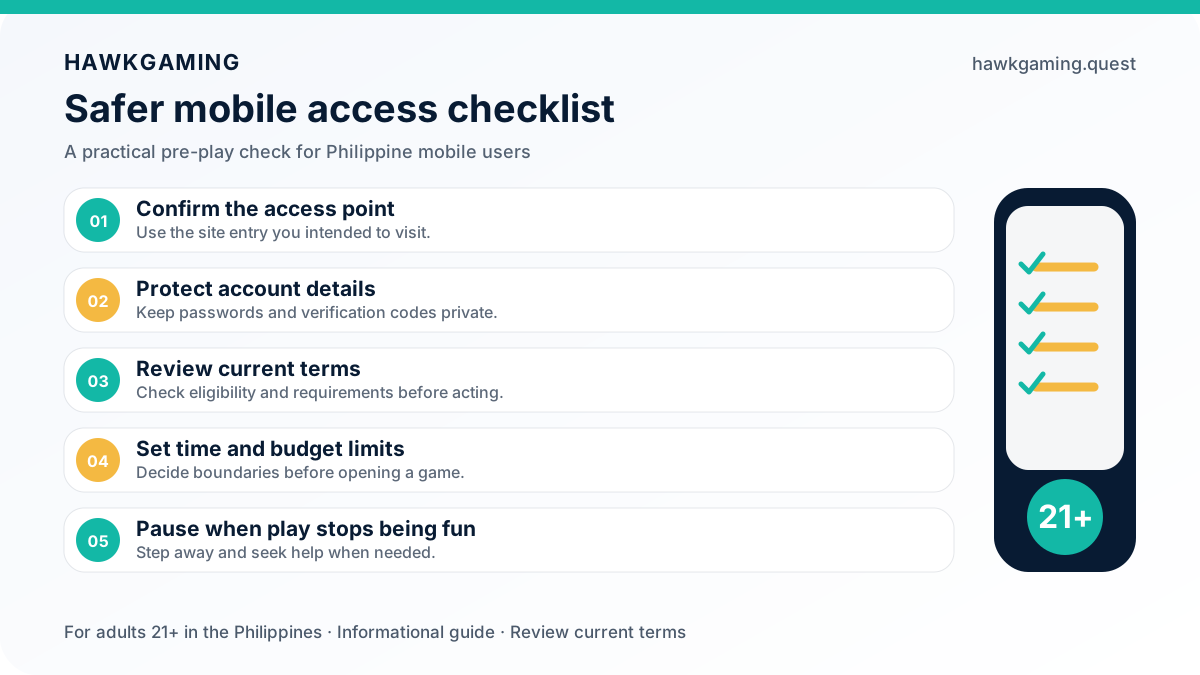
HAWKGAMING gives eligible Philippine adults a convenient way to access the platform through a mobile browser or Android APK. From one mobile journey, you can reach games, deposits, withdrawals, transaction records, security settings, and support. Play for entertainment only, set a budget and time limit, and never chase losses.
Convenient Mobile Loading
Mobile access is built for practical use on a phone, but your experience can depend on signal strength, Wi-Fi quality, device settings, and service availability. If a game becomes stuck, check your connection and restart the app or browser. Allow the game time to reconnect before reviewing your transaction records or contacting support.
PHP Wallet Access
Keep track of your PHP balance from your mobile account. To deposit, open HOME, choose Deposit, select the amount, and complete payment through GCash or Maya. A successful payment is generally credited automatically. For withdrawals, open ME, select Withdraw, and submit an amount that meets the minimum cash-out threshold shown on the page.
Secure Mobile Account Access
The HAWKGAMING mobile experience supports sign-in through your registered phone number and SMS verification code or account password. Use the Security Center to manage your password, PIN, and KYC status. Never share your password, PIN, or verification code with anyone, even if your phone is lost or stolen.
Mobile Promotions and Game Updates
Check the relevant promotions and account notices after signing in through the official HAWKGAMING mobile entry point. Any offer, qualification requirement, or available reward is subject to the current promotion details and applicable terms. Do not treat promotions as a promise of winnings.
Account Status Updates
Review your account and transaction details after making a deposit, withdrawal, or game transaction. The Transactions page records deposits, withdrawals, games, and awards, while the support team can help check an issue that remains unresolved.
In-App Help and Support
For payment questions, account concerns, or game problems, use the available HAWKGAMING support channels. You can contact the team through real-time chat or email support, and you may also send feedback or report an issue through the Help Center.
What Philippine Players Should Know About the HAWKGAMING App
HAWKGAMING App FAQ
Find practical guidance on mobile access, Android APK installation, account sign-in, payments, withdrawals, security, and support for Philippine players.
Get Mobile Access to HAWKGAMING
Use HAWKGAMING on the go through the verified Android APK download入口? Explore the available entertainment selection, including Fortune Horse, Fishing, Nine, Badminton, Blocky Block, Diamond Tycoon, and King of Fishing. The Android download is free, while the iOS app is still in preparation. Outcomes are not guaranteed, and the platform is for Philippine adults aged 21+ who choose to play responsibly.